Tesla Heat Pump Problems: Diagnosis & Solutions (2026 Guide)
Tesla's heat pump system is one of the most advanced thermal management systems in any production car — but that complexity means more potential failure points. When the heat pump fails in winter, you're left with a cold cabin and serious range loss. This guide covers everything from quick DIY fixes to understanding when you need professional service.
How Tesla's Heat Pump Works
Unlike gas cars that use engine waste heat for cabin heating, Tesla uses an electric heat pump to extract thermal energy from outside air and transfer it into the cabin. Think of it as an air conditioner running in reverse.
Tesla first introduced the heat pump in the 2020 Model Y, then added it to the 2021 Model 3 refresh and the refreshed Model S/X. If your Model 3 is pre-2021, you have a resistive heater instead (simpler but less efficient).
Key Components:
- Compressor — Pumps refrigerant (R-1234yf) through the system at high pressure
- Octovalve — Tesla's proprietary 8-way valve that directs refrigerant between the battery, cabin, and drivetrain
- Super Manifold — Integrates multiple valves, sensors, and refrigerant paths into one unit
- Expansion Valves — Control refrigerant pressure drops (where cooling/heating happens)
- Cabin Heat Exchanger — Transfers heat to cabin air via the HVAC ducting
- Battery Chiller — Manages battery thermal conditioning through the same refrigerant loop
Common Heat Pump Symptoms
No Heat or Weak Heat
Symptoms:
- Cabin stays cold despite heat being set to maximum
- Heat works intermittently — warm for a few minutes, then cold
- "Climate keeper unavailable" or "Cabin heating reduced" messages on screen
- Vent air is barely lukewarm even after 15+ minutes of driving
Possible Causes:
- Low refrigerant from a slow leak
- Failed or degraded compressor
- Stuck octovalve not routing refrigerant to the cabin heat exchanger
- Software glitch (especially after OTA updates)
- Clogged cabin air filter reducing airflow
Strange Noises
Symptoms:
- Gurgling or bubbling sounds from behind the dashboard
- Rapid clicking when the climate system engages
- High-pitched whining from the front of the car
- Banging or thumping during temperature transitions
Possible Causes:
- Air bubbles in the refrigerant lines (often after service work)
- Failing compressor bearings (whining that gets worse over time)
- Normal expansion valve operation — some clicking is expected, especially at startup
- Refrigerant flow changes through the octovalve (occasional clicking/thumping)
Reduced Efficiency
Symptoms:
- Heat works but uses excessive battery energy
- Range drops more than 30-40% in cold weather (beyond normal cold weather loss)
- Climate system runs at full power constantly but cabin stays lukewarm
- Energy consumption graph shows disproportionate HVAC usage
Possible Causes:
- Dirty cabin filter restricting airflow across the heat exchanger
- Blocked condenser with debris reducing heat transfer
- Degraded refrigerant charge (partial leak)
- Failing compressor losing efficiency before complete failure
Heat Pump Not Activating at All
Symptoms:
- Climate controls respond but no heating effect
- No compressor noise when heat is requested
- System immediately defaults to high energy consumption (resistive backup)
Possible Causes:
- Compressor relay or electrical fault
- Refrigerant pressure sensor reading out of range (system won't start compressor for safety)
- Major software fault requiring a full power-off reset
DIY Troubleshooting Steps
Step 1: Check the Cabin Air Filter
A clogged filter is the #1 cause of HVAC underperformance and costs almost nothing to fix:
- Remove the cabin air filter — accessed from the passenger footwell (not the frunk)
- Inspect for dirt, leaves, pollen buildup, and debris
- Replace if visibly dirty — Tesla recommends every 2 years, but check annually in dusty or pollen-heavy areas
- Use a HEPA-rated replacement filter for better filtration
- Test heat output — you may notice an immediate improvement
Step 2: Clean the Front Condenser
The condenser (behind the front bumper fascia) needs clear airflow to transfer heat efficiently:
- Visually inspect through the lower front grille for leaves, plastic bags, or road debris
- Use compressed air to blow out obstructions from the inside out
- For thorough cleaning, remove the front bumper and rinse the condenser with low-pressure water
- Avoid high-pressure washing directly on the fins — this can bend the delicate aluminum
- Check again after driving through construction zones or after autumn leaf fall
Step 3: Perform a Software Reset
Many heat pump glitches are software-related, especially after OTA updates:
Quick reset (scroll wheel reboot):
- Park the car and keep it in Park
- Hold both steering wheel scroll wheels for 10-15 seconds
- Wait for the touchscreen to go black and reboot (takes ~60 seconds)
- Test the climate system
Deep reset (full power-off):
- Go to Controls → Service → Power Off
- Wait at least 3 full minutes without touching anything (don't open doors, don't press brake)
- Press the brake pedal to wake the car
- Test climate system thoroughly
Factory reset of climate settings:
- Go to Controls → Climate and reset all preferences to default
- Turn off any scheduled climate features
- Re-enable preconditioning and test
Step 4: Precondition the Battery Properly
The heat pump operates more efficiently with a warm battery and can leverage waste heat from charging:
- Always precondition while plugged in — this uses wall power instead of battery
- Start preconditioning 30-45 minutes before departure in freezing conditions
- Set departure time in the Tesla app for automatic preconditioning
- A warm battery also means better regenerative braking and acceleration
Step 5: Check for Refrigerant Leak Signs
While you can't recharge refrigerant yourself (requires EPA certification and specialized equipment), you can look for leak indicators:
- Inspect visible HVAC lines in the frunk area for oily residue — refrigerant oil leaks alongside refrigerant gas
- Check if both heating and AC are weak (a refrigerant leak affects both)
- Use an infrared thermometer to measure vent outlet temperature — it should reach 40°C+ (104°F) when set to max heat
- If refrigerant is the issue, you'll need Tesla service or a qualified HVAC technician
When Heat Pump Issues Require Professional Service
Some problems are beyond DIY and require Tesla or a qualified third-party shop:
Refrigerant Leak
- Signs: Both heating and AC are weak, oily residue on HVAC lines
- Fix: Leak detection (UV dye or electronic sniffer), repair, system evacuation, and refrigerant recharge
- Cost: $300-800 depending on leak location
- Timeline: Usually same-day service
Failed Compressor
- Signs: No heat or AC at all, compressor doesn't engage, clicking but no sustained operation
- Fix: Compressor replacement (R-1234yf systems require specific Tesla-compatible units)
- Cost: $1,500-3,000 including labor
- Timeline: 1-3 days depending on parts availability
Octovalve Failure
- Signs: Heat works in some modes but not others, inconsistent temperatures, battery thermal management issues
- Fix: Octovalve replacement — this is a Tesla-proprietary part
- Cost: $900-2,200
- Timeline: 1-2 days; may require coolant system service as well
Super Manifold Issues
- Signs: Multiple simultaneous climate errors, inconsistent behavior, coolant leaks near the front
- Fix: Manifold repair or replacement — a complex job involving significant disassembly
- Cost: $1,000-2,500
- Timeline: 2-5 days; often involves coolant pump inspection too
Coolant System Cross-Contamination
- Signs: Milky or discolored coolant, heat pump and battery thermal issues simultaneously
- Fix: Full system flush, component inspection, and recharge
- Cost: $500-1,500 depending on contamination severity
- Related: See our coolant leak diagnosis guide for inspection tips
Understanding Tesla's Thermal Management System
Tesla's heat pump doesn't operate in isolation — it's part of an integrated thermal management system that handles:
- Cabin heating and cooling — The primary function most owners notice
- Battery temperature management — Keeping cells between 20-40°C for optimal performance and longevity
- Drive unit cooling — Managing motor and inverter temperatures under load
- Charging thermal management — Preconditioning the battery for Supercharging
The superbottle acts as a central hub connecting these thermal loops. When one component fails, it can cascade — a heat pump issue might first appear as reduced charging speed or unexpected range loss before manifesting as a cabin heating problem.
This interconnected design is why Tesla's OBD2 diagnostics are valuable — they can reveal thermal system issues before they become obvious to the driver.
Heat Pump Error Codes
If you have an OBD2 scanner, these diagnostic trouble codes (DTCs) indicate heat pump issues:
| Code | Meaning | Severity |
|---|---|---|
| CP_a064 | Compressor communication fault | Medium — may be wiring or software |
| CP_a137 | Refrigerant pressure low | High — likely a leak |
| VCFRONT_a192 | Cabin heating limited | Medium — multiple possible causes |
| DI_a138 | Thermal system fault | High — needs immediate attention |
| CP_a070 | Compressor over-temperature | Medium — check for airflow blockage |
| CP_a043 | Compressor speed fault | High — bearing or electrical failure |
| BMS_a069 | Battery coolant temperature out of range | Medium — related thermal system issue |
Preventing Heat Pump Problems
Regular Maintenance:
- Replace cabin air filter every 2 years (annually in high-pollen areas)
- Run AC for 10-15 minutes at least once a month, even in winter — this keeps seals lubricated and prevents refrigerant from settling
- Keep the front condenser area clear of debris — check monthly
- Schedule a coolant check every 4 years or 80,000 km
Operational Best Practices:
- Always precondition while plugged in — this is the single biggest thing you can do for heat pump longevity
- Use seat heaters and steering wheel heater for personal warmth instead of blasting cabin heat to maximum
- Let the system warm up gradually — don't immediately set heat to max on a freezing morning
- If the car has been sitting in extreme cold for days, precondition for longer (45-60 minutes)
Software and Monitoring:
- Keep the car updated to the latest software version — Tesla frequently improves heat pump algorithms via OTA
- Monitor your energy consumption graph — sudden increases in HVAC usage can signal developing problems
- Report issues to Tesla early through the app — they track patterns and may push targeted fixes
Cost Comparison: DIY vs. Service
| Issue | DIY Cost | Tesla Service Cost | Time |
|---|---|---|---|
| Cabin filter replacement | $25-50 | $100-150 | 15 min DIY |
| Condenser cleaning | Free | $100+ | 20 min DIY |
| Software reset | Free | Free (mobile service) | 5 min |
| Refrigerant recharge | N/A (certification required) | $300-500 | 1-2 hours |
| Compressor replacement | N/A | $1,500-3,000 | 1-3 days |
| Octovalve replacement | N/A | $900-2,200 | 1-2 days |
| Super manifold repair | N/A | $1,000-2,500 | 2-5 days |
Winter Driving Tips When Your Heat Pump Is Struggling
If you're dealing with heat pump issues while waiting for a service appointment, these tips maximize cabin comfort:
- Prioritize seat and steering wheel heaters — They use 75W-100W each vs. 3-6 kW for cabin heat, and warm you directly
- Lower the cabin temperature setting — 19-20°C instead of 23-24°C reduces heat pump load significantly
- Use recirculation mode — Reheating cabin air is easier than heating fresh outside air
- Dress in layers — Obvious but effective while the system is compromised
- Park in a garage or sheltered area — Even an unheated garage stays 5-10°C warmer than outdoors, giving the heat pump a better starting point
- Use range mode — Limits climate power draw but still provides some heating
- Check your tire pressures — Cold weather drops pressure, which further reduces range on top of HVAC losses
- Plan your winter driving routes with Supercharger stops — Heat pump issues compound range loss, so build in charging buffer
Heat pump issues are frustrating, especially in the dead of winter. Start with the free DIY checks — cabin filter, condenser inspection, software reset, and preconditioning habits — before assuming expensive repairs. Many owners report that a simple scroll wheel reset or filter replacement resolved what seemed like a major problem. If DIY troubleshooting doesn't help, Tesla mobile service can diagnose most heat pump issues at your location.
Related Guides
- AC Not Cooling Properly — Shares the same refrigerant system as the heat pump
- Climate Keeper Issues — Dog Mode and Camp Mode HVAC problems
- Cabin Air Filter Replacement — The first step for any HVAC issue
- Battery Preconditioning Guide — Maximize heat pump efficiency in winter
- Coolant Leak Diagnosis — Thermal system leak troubleshooting
- Superbottle Replacement — The thermal hub connecting all loops
- Winter Preparation Guide — Complete cold weather readiness
- Range Loss Troubleshooting — When thermal issues cause excessive range drop
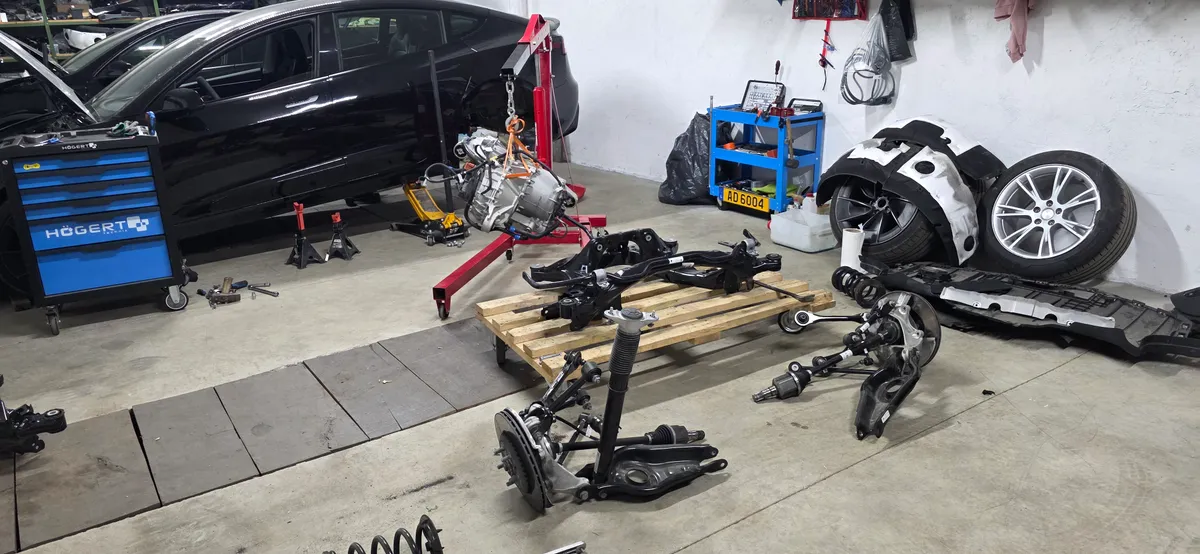
🛠️ Tools Needed for This Repair
These are the tools I personally use and recommend. Using quality tools makes the job easier and safer.
-
OBD2 Scanner for Tesla
-
HVAC Vent Cleaning Brush
-
Cabin Air Filter (Model 3/Y)
-
Infrared Thermometer
-
Compressed Air Can
We earn commissions from qualifying purchases through our affiliate partners. This helps support the site at no extra cost to you.